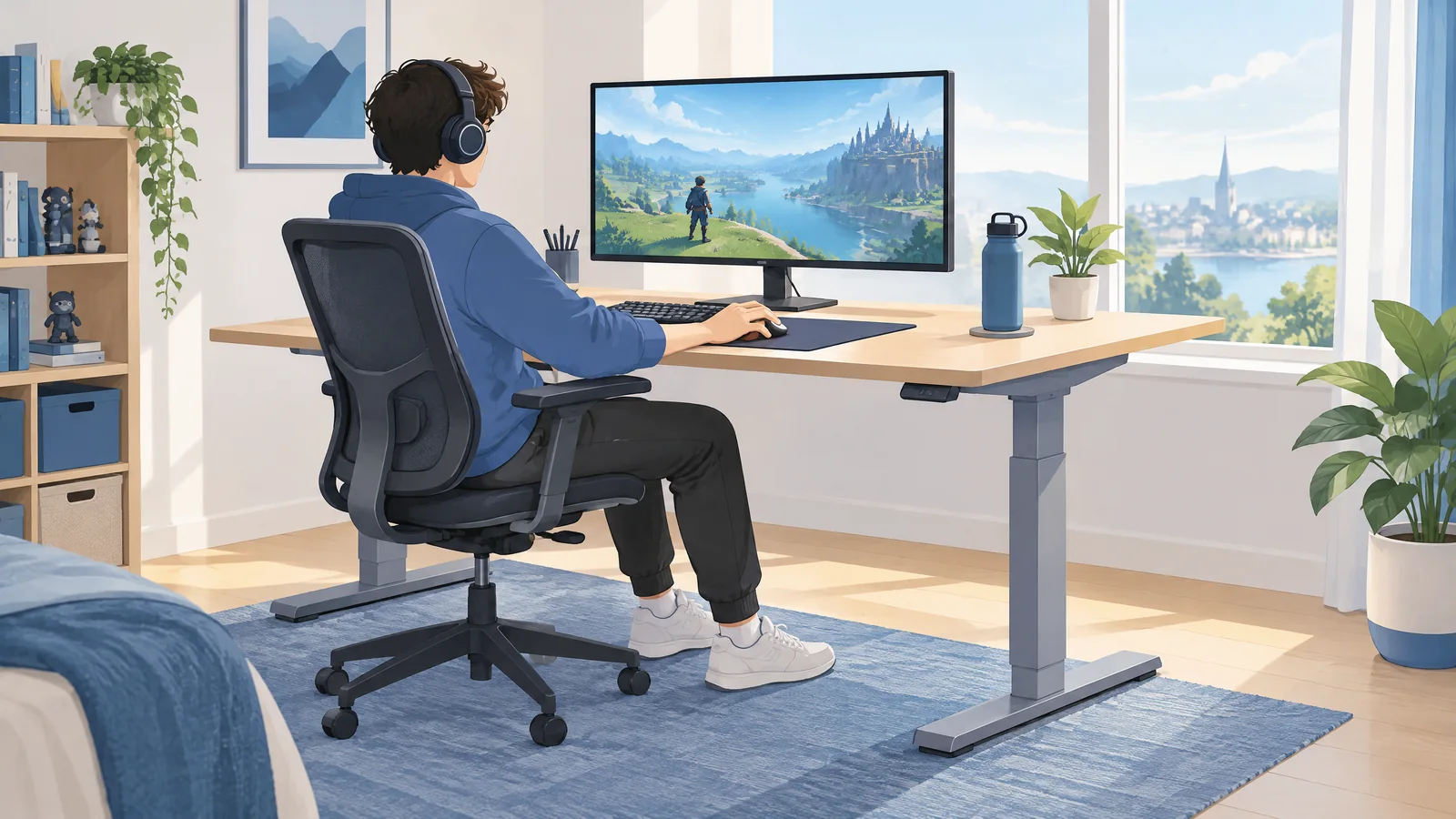
Esports ergonomics starts with the whole playing station
A chair can look expensive while the mouse is still too far away. A fast monitor can be positioned where a player has to turn repeatedly to see it. Esports ergonomics looks at that complete playing station: display, desk, chair, keyboard, mouse or controller, and the tasks performed there. It is not a search for one perfect gamer posture or a promise that a new accessory will improve rank.
The useful starting question is practical: can the player see the relevant information, reach the inputs and change position without the setup getting in the way? This guide explains observable workstation variables and session records. It does not diagnose fatigue, pain or an injury. The esports technology guide places the workstation within the wider hardware, network and competition system.
Adjust the components together, not one at a time in isolation
The US Occupational Safety and Health Administration's Computer Workstations eTool says there is no single correct posture or component arrangement that fits everyone. Its general design goals include a display in front, its top at or just below eye level, relaxed shoulders, elbows close to the body, supported lower back, hands aligned with forearms and supported feet. These are adjustable workstation goals, not esports tournament rules or a clinical assessment.
Look at the relationships between components. Raising a chair to reach a high desk may change foot support. Moving a large display can change viewing distance and mouse space. A controller or mobile device also creates a different viewing-and-input arrangement from keyboard-and-mouse play. Start with what the person can actually see and reach, rather than assuming that an identical desk setup suits every player.
A simple workstation observation table
Use this table to record questions, not to score someone's body. A photograph can show component placement; it cannot diagnose a condition or establish whether a workstation caused a symptom.
| Component | What to record | Question to check |
|---|---|---|
| Display | Position, height and viewing distance | Is it readable without repeatedly leaning or turning? |
| Keyboard and mouse | Available space and reach | Can both be used without persistent reaching? |
| Chair and desk | Adjustments and available support | Do the parts fit together for this player's task? |
| Controller or phone | Viewing and holding arrangement | How does its placement differ from desktop play? |
| Room | Lighting and visible reflections | Are glare or reflections making the display harder to see? |
Record one observable change and its date. That creates a clearer comparison than moving the display, changing sensitivity and replacing the chair simultaneously. It is still an observation record, not an experiment proving a health or performance effect.
Mouse reach, keyboard space and contact points
An ergonomic gaming mouse setup begins with enough room for the task and a position that does not repeatedly pull the arm away from the playing area. OSHA's keyboard guidance discusses keeping the keyboard positioned so the hands align with the forearms. The point is to inspect the arrangement during use, not ask someone to freeze in a position for an entire session.
Gaming chair ergonomics is similarly about usable adjustment rather than branding. Check the back support, desk relationship and foot support together. A wrist or palm support is another contact point to inspect, not a treatment device or proof of injury prevention. Product labels do not establish that a chair, mouse, support, sleeve or pair of glasses will resolve a health concern.
Display responsiveness is a separate technical question. Our high-refresh-rate esports monitor guide explains refresh cadence and input-to-display timing. A quicker display does not establish that its physical placement suits the player, and a more comfortable position is not evidence of a lower electronic input delay.
Track session exposure without turning it into a fatigue diagnosis
For player fatigue, a session log can record what happened: start and finish, active play, review time, pauses, setup changes and a player's own brief note. These are different fields. An observation such as “attention felt harder in the last block” is a self-report, not a sensor measurement or a medical conclusion.
Hypothetical example: three 75-minute game blocks total 225 minutes of active play. Adding a 20-minute review gives 245 minutes of game-related activity, but reviewing footage and playing a match are different tasks. Label those totals separately. This calculation does not prescribe a schedule or say whether the exposure is suitable for an individual.
OSHA's work-process guidance discusses changing activities and taking opportunities away from sustained computer tasks. It is general computer-work information, not a universal esports break formula. Similarly, a wearable score or slower test result cannot settle why someone feels tired. See wearable fatigue data and its limits and reaction-time measurement in gaming before combining unlike measures.
Make the record useful to the player
Keep workstation notes understandable: the setup used, the change made, the task observed and the player's own response. If a team records these notes, say who can see them and why. A setup record should not quietly become a diagnosis, a ranking system or an automatic selection decision.
This page does not prescribe exercises, physiotherapy or treatment for wrist, thumb, neck or other symptoms. Those questions need appropriate individual assessment rather than an inference from an article, desk photograph or gaming result. For the technology question, stay with what is observable and reviewable: component placement, readable information, input reach, task variation and clearly labelled records.
Sources and scope
This article uses OSHA's Computer Workstations eTool, its Keyboard and Monitor component guidance, and its Work Process guidance, checked on 9 October 2026. These are general computer-workstation resources, not an esports-specific clinical protocol or a new rule for competitions. No chair, accessory, setup change or session pattern is claimed to prevent injury, diagnose fatigue or improve match performance. The cover is an original conceptual illustration, not a photograph of a named team or a clinical evaluation.